
How Can a Business Shop Safely Online?
To shop safely online, a business should verify the website, use strong unique passwords with multi-factor authentication, pay only over secure connections, use a dedicated payment method, and keep devices and software patched. Online purchasing — supplies, software, supplier payments — is now routine, and attackers increasingly target small and mid-sized businesses once thought too small to bother with. Fraudulent sites can look as polished as real ones, so confirming you are dealing with a legitimate vendor on a secure connection is the first line of defense. For an Alberta SMB already under operational pressure, a single payment compromise can be devastating — building these habits into everyday purchasing is far cheaper than recovering from a breach. Stronger protection comes from layered managed cybersecurity.
Online purchasing, whether for office supplies, software subscriptions, or supplier payments, has become as routine for businesses as a trip to the local wholesaler. But this operational convenience brings a critical need for robust online security practices. In an era where cyber threats are escalating—even targeting small and medium-sized businesses once thought too small to be attractive targets—how can you ensure your company’s transactions are secure and sensitive business information remains confidential?
For Alberta SMBs already navigating significant operational pressures, a security incident can be devastating. Cybersecurity is a top concern for businesses in the province, yet many feel underprepared. This guide provides essential tips to help your business shop smarter and stay secure online.
Verify Website Authenticity: The First Line of Defense
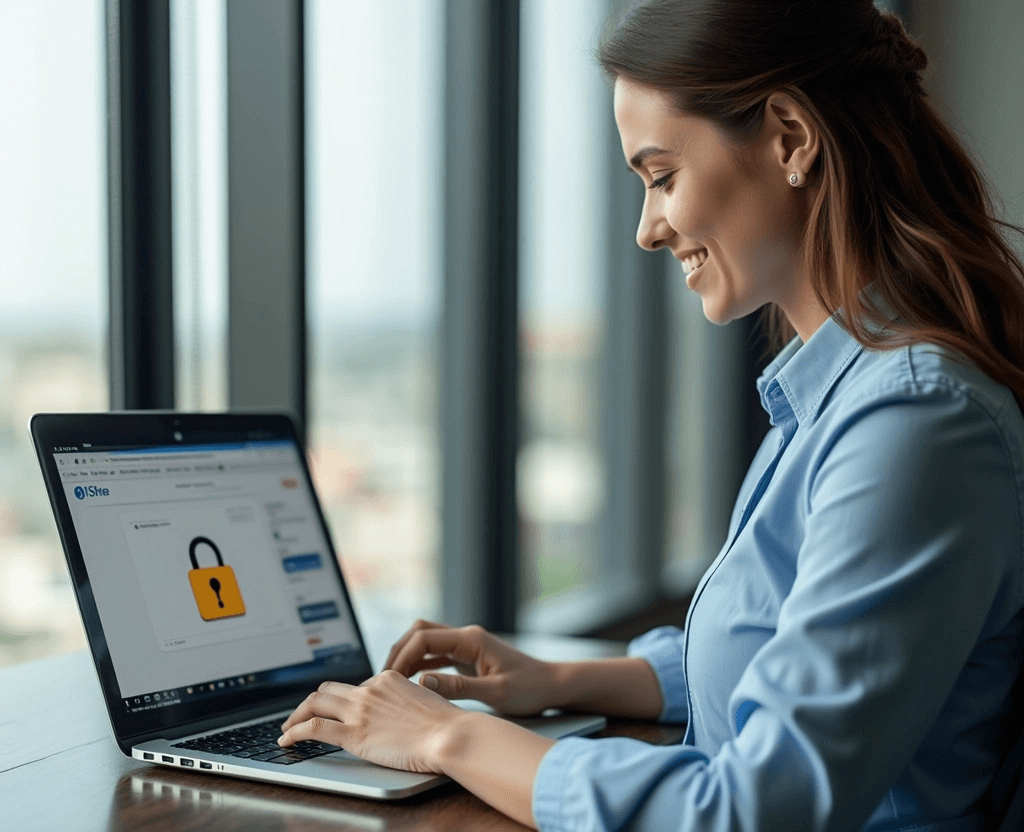
Just as a sophisticated phishing email can mimic legitimate communication, a fraudulent website can look as polished as a trusted supplier’s portal. Before entering login credentials, payment details, or any sensitive company data, verify the site’s authenticity:
- Look for HTTPS: Secure websites use encryption and start with
https://in the address bar, often accompanied by a padlock icon. The ‘s’ signifies ‘secure’. Avoid entering business data on sites using onlyhttp://. - Check the Domain: Scrutinize the website address. Scammers often use slightly misspelled domains (e.g.,
amaz0n.cominstead ofamazon.com) to trick users. Ensure you are on the legitimate domain, especially when clicking links from emails.
Implementing these basic checks is part of sound cybersecurity practices.
Understanding Encryption: Protecting Your Business Data
Encryption acts like a secret code, scrambling the data transmitted between your computer and the website’s server. This process makes sensitive information—like company credit card numbers, bank details, and login credentials—unreadable to potential eavesdroppers. The https:// confirms encryption is active, safeguarding your business’s financial and operational data during online transactions.
Secure Payment Methods: Safeguarding Company Finances
Treat your company’s financial information with the utmost care. Use secure and reputable payment methods for all business purchases:
- Credit Cards: Often offer better fraud protection than debit cards. Use dedicated company cards and monitor statements closely.
- Reputable Third-Party Processors: Services like PayPal can add an extra layer of security by masking your direct bank or card details from the vendor.
- Avoid Direct Bank Transfers (EFTs) with Unknown Vendors: Unless you have a well-established and trusted relationship, be cautious with payment methods that offer little recourse in case of fraud.
Keep Business Devices Updated: Patching Vulnerabilities
Software updates aren’t just about new features; they frequently contain critical security patches that fix vulnerabilities exploited by cybercriminals. Ensure all company devices—computers, laptops, smartphones, and tablets—have their operating systems and applications (especially web browsers) kept up-to-date. This is a fundamental aspect of endpoint security, often managed through proactive .
Employee Awareness: Your Human Firewall
Your employees are often the first target for online scams and phishing attempts. Regular is crucial. Educate your team on:
- Recognizing phishing emails and malicious links.
- Using strong, unique passwords for business accounts.
- The importance of verifying unexpected requests for payment or information.
- Safe browsing habits, especially when accessing company resources.
Beyond the Basics: Partnering for Proactive Security
While these tips provide a solid foundation, the cybersecurity landscape, increasingly influenced by AI-driven threats, demands a more comprehensive approach. For true peace of mind, Alberta SMBs need a proactive strategy that goes beyond basic precautions.
Next Step Technology Solutions Provider acts as your dedicated guide, helping you navigate the complexities of modern cybersecurity. We don’t just fix problems; we implement layered security solutions—often included as part of our managed services—to protect your business proactively. From 24/7 monitoring to advanced threat detection, we help you turn technology from a potential vulnerability into a secure asset.
Ready to enhance your business's online security?
Schedule Your Free Technology Assessment today to identify potential vulnerabilities and discover how NSTSP can provide comprehensive protection.
OR
Frequently Asked Questions: Secure Online Shopping for Business
How do I know if a shopping website is legitimate?
Check the details a fraudulent site usually gets wrong: confirm the exact domain spelling, look for a secure (HTTPS) connection, and be wary of deals that seem too good or pages riddled with errors. When in doubt, navigate to the vendor directly rather than following a link from an email — phishing sites are built to look as polished as the real thing.
Should we use a company credit card for online purchases?
Using a dedicated payment method for business purchasing is smart practice. It contains your exposure if a card is compromised, makes fraudulent charges easier to spot, and keeps business transactions separate from everything else. Pair it with strong, unique credentials and multi-factor authentication on the accounts used to buy.
Why are small businesses targeted for payment fraud?
Because attackers know smaller firms often have weaker controls than large enterprises while still moving real money. The old assumption of being “too small to target” is exactly what makes an SMB attractive. Automated attacks do not discriminate by size — they look for the easiest entry point, and an under-protected small business is one.
What is the single most important habit for secure purchasing?
Multi-factor authentication on the accounts and payment tools you use to buy. Most compromises start with a stolen or guessed password, and MFA blocks the large majority of those attempts on its own. Combined with verifying sites and keeping devices patched, it closes the gaps attackers rely on most.